
Download Sources
Device Configuration
Split APKs Installation Guide
Some apps are distributed as Split APKs (multiple .apk files packaged together) to optimize resources. Standard Android installers cannot open them.
Related Applications




What's New
Bug fixes
About this app
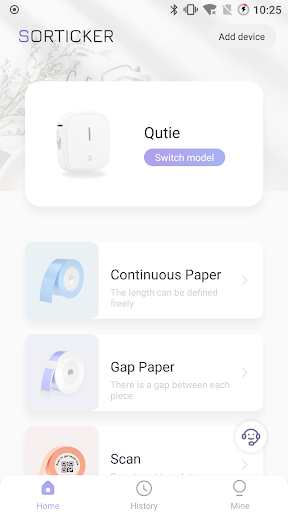
Sorticker is an application for making labels and it can print labels by connecting a special printer. This app comes with a wealth of personalized functions such as fonts, icons and graffiti, which can easily make a variety of exquisite labels to meet a variety of life needs such as storage, sorting, marking and learning.
You can print all kinds of labels needed in life to keep your life in good order.
1. You may fix unsealing date and purchasing date labels on food, drugs and cosmetics. A small label will make the whole family feel secure.
2. You may label the exclusive things of babies to protect their growth.
3. You may select different typeface, symbol and border to design labels.
We sincerely hope that using this app can help your life more tidy and orderly.
How to Download Sorticker APK
- Enter the package name
com.hprt.hmark.toc.intlon the APK Downloader homepage. - Select your device architecture (ARM64 recommended for modern devices).
- Click Download to get the merged APK file.
- Transfer and install the APK on your Android device.
- Keep Updated: Visit APK Downloader regularly to search for and download the latest secure versions of your favorite apps.
Security & Signature Verification
This APK download is 100% safe. We verify that the cryptographic signature of the file matches the official developer credentials. No modifications or adware are injected.