
Download Sources
Device Configuration
Split APKs Installation Guide
Some apps are distributed as Split APKs (multiple .apk files packaged together) to optimize resources. Standard Android installers cannot open them.
Related Applications


What's New
Ongoing maintenance. The latest app update includes small visual changes and bug fixes for a more consistent experience.
About this app
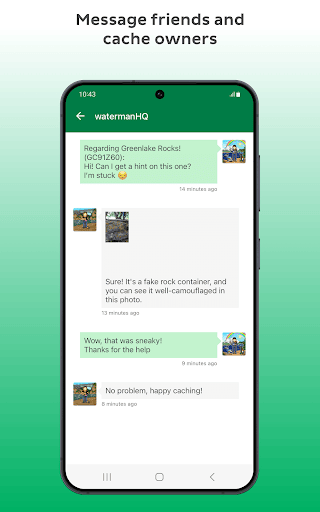
Join the world’s largest treasure hunt with the Geocaching® app
Adventure is closer than you think. Find geocaches hidden in neighborhood parks, along local trails, and in everyday places you might have otherwise passed by. Whether you want more family time outside, a new way to explore, or a fresh challenge, the Geocaching® app makes it easy to get started.
Why you'll love geocaching:
• Spend more time outside with family and friends
• Find geocaches hidden in plain sight near home and beyond
• Add a new challenge to your everyday routine
• Turn any outing into an adventure
• Hide your own caches for others to find
• Collect digital Treasure by exploring more
How geocaching works:
See what’s nearby: Use the app’s map to see geocaches near you. Then, select a cache to find!
Navigate to the location: Follow the map, compass, driving or walking directions to get close.
Start searching the area: Look for the hidden cache—they come in all shapes and sizes. Check the hint if you get stuck.
Sign the logbook: Once you find it, sign your username on the cache’s log sheet
Trade SWAG (Optional): Some caches contain trinkets for trade. If you take something, leave something of equal or greater value behind.
Return the cache: Put the cache back in its hiding spot for the next finder and log your find in the app to see your find count increase!
Do more with Geocaching Premium:
Access more geocaches: Unlock all caches everywhere, including Premium-only caches.
Customize your search: Filter caches by size, type, difficulty, terrain, Favorite points, and more.
Get notified: Receive notifications when new caches are published near you.
Cache anywhere: Save cache details offline for adventures without cell service.
Add more adventure: Seamless connection to the Geocaching Adventure Lab® app.
Collect more digital Treasure: work on multiple collections at the same time.
Track your progress: Follow your streaks, milestones and personalized statistics!
Try what’s next: Get early access to Experimental features.
Geocaching Premium helps power the game and support the global geocaching community. Get more tools, more geocaches, and more ways to explore.
Over 3 million moments of discovery are waiting for you, download the official Geocaching® app to get started.
You can buy a Premium membership subscription through your Google Play account. Premium membership is available with a monthly or annual subscription. You can subscribe and pay through your Google Play account. Your subscription will automatically renew unless canceled at least 24 hours before the end of the current period.
Terms of use: https://www.geocaching.com/about/termsofuse.aspx
Refund policy: https://www.geocaching.com/account/documents/refundpolicy
How to Download Geocaching® APK
- Enter the package name
com.groundspeak.geocaching.introon the APK Downloader homepage. - Select your device architecture (ARM64 recommended for modern devices).
- Click Download to get the merged APK file.
- Transfer and install the APK on your Android device.
- Keep Updated: Visit APK Downloader regularly to search for and download the latest secure versions of your favorite apps.
Security & Signature Verification
This APK download is 100% safe. We verify that the cryptographic signature of the file matches the official developer credentials. No modifications or adware are injected.