
Download Sources
Device Configuration
Split APKs Installation Guide
Some apps are distributed as Split APKs (multiple .apk files packaged together) to optimize resources. Standard Android installers cannot open them.
Related Applications



What's New
No news is good news, right? We've just fixed a few tiny bugs and made some minor improvements.
About this app
🧑🍳 SAMSUNG FOOD — THE MOST POWERFUL FREE MEAL PLANNING APP
What if your meal planner could do it all — for free?
Samsung Food gives you everything you need to plan meals, save recipes, organize grocery shopping, and cook smarter — all in one place. We help millions of home cooks — from beginners to pros — eat healthier, save time, reduce food waste, and enjoy cooking more.
🍽️ WHAT YOU CAN DO WITH SAMSUNG FOOD
- Discover over 240,000 free recipes, including 124,000 fully guided recipes
- Search by ingredients, cook time, cuisine, or 14 popular diets like keto, vegan, low carb
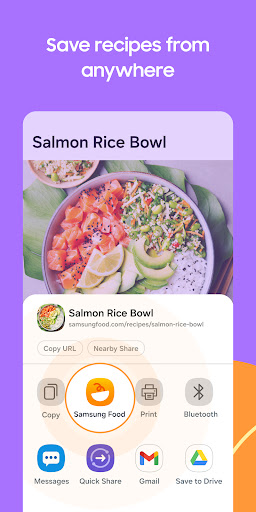
- Save recipes from any website — your own recipe keeper
- Create your weekly meal planner and turn it into a grocery list
- Share and collaborate on grocery lists with family or friends
- Order ingredients online from 23 grocery retailers
- Explore 192,000 community notes with real cooking tips
- Join 5,400+ food communities with 4.5 million members
- Access nutrition facts and health scores on 218,500+ recipes
🔓 WANT MORE? UNLOCK SAMSUNG FOOD+
- AI-personalized weekly meal plans for your diet and goals
- Smart Cooking Mode with hands-free, step-by-step guidance
- Customize recipes — adjust servings, ingredients, or nutrition
- Automated pantry suggestions and food tracking
- Reuse and reapply meal plans anytime
- Connect to Samsung SmartThings Cooking for a seamless kitchen experience
Whether you're looking for a vegan meal planner, a keto grocery list, or a better way to organize your recipes — Samsung Food has you covered.
Download Samsung Food today and take the hassle out of meal planning, grocery shopping, and cooking.
📧 Questions? support@samsungfood.com
📄 Terms of Use: samsungfood.com/policy/terms/
How to Download Samsung Food: Meal Planner APK
- Enter the package name
com.foodient.whiskon the APK Downloader homepage. - Select your device architecture (ARM64 recommended for modern devices).
- Click Download to get the merged APK file.
- Transfer and install the APK on your Android device.
- Keep Updated: Visit APK Downloader regularly to search for and download the latest secure versions of your favorite apps.
Security & Signature Verification
This APK download is 100% safe. We verify that the cryptographic signature of the file matches the official developer credentials. No modifications or adware are injected.