
Download Sources
Device Configuration
Split APKs Installation Guide
Some apps are distributed as Split APKs (multiple .apk files packaged together) to optimize resources. Standard Android installers cannot open them.
Related Applications



About this app
Create a domestic and international shipping label, track shipment status and manage your packages wherever you are with the FedEx Mobile app. Use the app to get quick rates, find a pickup or drop off location, scan bar codes, and view rewards. Enroll in FedEx Delivery Manager® to customize when and where you’d like to receive your packages.
Available in all regions
• Track the status of all incoming or outgoing packages
• Create a mobile shipment label and request a pickup**
• Enable push notifications to get updates on your shipments and a sound notification on delivered shipments*
• Scan a barcode for easy tracking*
• Find a FedEx location near you*
• View or cancel a scheduled pickup
• Create a new pickup
• Get shipment cost estimates and delivery times
• Access your shipper address book
• Log in with finger or facial recognition
• Search your list of shipments by tracking number, references, vendors and more
Available in some regions
• Enroll in FedEx Delivery Manager to:
o Hold a package at a preferred FedEx location
o Leave delivery instructions for the courier
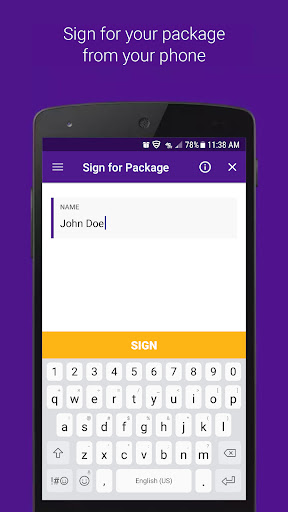
o Sign for a package requiring your signature
o Request a vacation hold
• Reroute your package to a FedEx location to pick up at your convenience
• Ship directly to a FedEx-designated location
• Scan your door tag to get information and options regarding your missed shipment
• Access a chat assistant for FedEx Mobile app and services questions
• Create a login for more convenient tracking
• View rewards
Thank you for using the FedEx Mobile app! Have feedback? Email us at mobile@fedex.com.
FedEx Delivery Manager is only available for residential deliveries within the U.S. You must be signed in to the FedEx Mobile app and registered for FedEx Delivery Manager to use selected features.
*Maximize your FedEx experience by allowing the following permissions: Location to find a convenient FedEx location, Camera to scan a shipping label and track a package, and Push Notifications to receive notifications on a package. Also, get Sound Notifications for delivered packages by turning on sound in your settings.
**Shipping administration rules apply.
How to Download FedEx Mobile APK
- Enter the package name
com.fedex.ida.androidon the APK Downloader homepage. - Select your device architecture (ARM64 recommended for modern devices).
- Click Download to get the merged APK file.
- Transfer and install the APK on your Android device.
- Keep Updated: Visit APK Downloader regularly to search for and download the latest secure versions of your favorite apps.
Security & Signature Verification
This APK download is 100% safe. We verify that the cryptographic signature of the file matches the official developer credentials. No modifications or adware are injected.