
Download Sources
Device Configuration
Split APKs Installation Guide
Some apps are distributed as Split APKs (multiple .apk files packaged together) to optimize resources. Standard Android installers cannot open them.
Related Applications


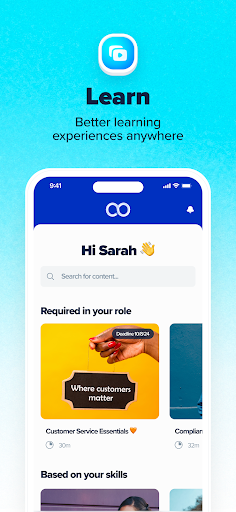


About this app
eloomi Infinite is an easy-to-setup platform. It's smart enough to automate your training, and now - with the app - can make your team's learning experience even more accessible.
The app is built to support you in onboarding new hires, ensuring your organization is compliant and secure, or even getting your sales teams trained and up to speed to deliver on expectations.
Note: The app focuses on learners first, ensuring their training is delivered, easy to access, and engaging. If you want to create your training paths, visit http://eloomi.com/infinite and start for free.
Modern design that learners enjoy using:
- An interface that guides learners to focus on training
- Streamlined courses that are easy to navigate
- A learning experience that is consistent across devices
Smart features that ensure you deliver training on time:
- Automate course and group assignments
- Create learning paths for onboarding or team training
- Set deadlines and reminders, so learners never miss out on their course
- Recommended skills training based on industry-wide standards
Easy to setup & manage to help you save time:
- Add individual learners or upload a list of your employees into the platform to get started
- Build courses within minutes or upload SCORM files
- Organize learners in groups and automate course assignments
Visit http://eloomi.com/infinite for more information.
How to Download eloomi APK
- Enter the package name
com.eloomi.infiniteon the APK Downloader homepage. - Select your device architecture (ARM64 recommended for modern devices).
- Click Download to get the merged APK file.
- Transfer and install the APK on your Android device.
- Keep Updated: Visit APK Downloader regularly to search for and download the latest secure versions of your favorite apps.
Security & Signature Verification
This APK download is 100% safe. We verify that the cryptographic signature of the file matches the official developer credentials. No modifications or adware are injected.