
Download Sources
Device Configuration
Split APKs Installation Guide
Some apps are distributed as Split APKs (multiple .apk files packaged together) to optimize resources. Standard Android installers cannot open them.
Related Applications







What's New
uTrading 1.8.0 Update
1. Also fixed numerous minor issues.
2. Optimized the Profit Card Sharing, sync trading system, invest control system, manual trading system, automated trading system.
3. Added "Unlimited" cycle time to DCA Pro and Martingale bot.
4. Added "Coin Home" (including candlestick charts, technical indicator analysis, etc.)
5. Added strategy style configuration to investment control to help you balance risk and profit opportunities.
Improved stability and user experience. 🚀
About this app
uTrading — Trading Tools & Automation Platform
Join hundreds of thousands of users using uTrading to streamline their trading experience.
Welcome to uTrading, a platform focused on trading tools and trading automation. Users worldwide rely on uTrading to improve trading efficiency and strategy execution.
uTrading provides cloud-based automation tools (trading bots) that help users execute pre-defined strategies without constant monitoring.
✔ Simplify Your Trading (Trading Automation)
uTrading offers a range of automation tools to help you execute trading strategies more efficiently.
With cloud-based infrastructure, your strategies can run continuously in the background.
✔ Built for All Traders
Whether you're new or experienced, uTrading offers:
Automated trading strategies
Signal-based insights
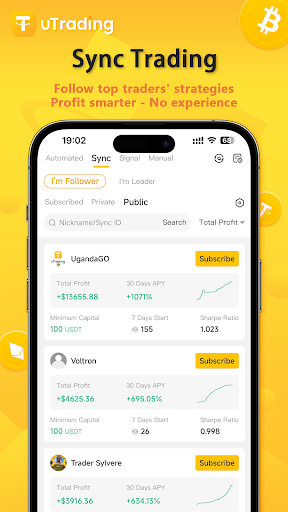
Copy trading tools
Get started quickly with a simple and intuitive setup.
✔ Security & Asset Protection (Secure Trading)
uTrading does not custody user funds.
All assets remain in users’ own accounts on third-party exchanges.
The platform only accesses trading permissions authorized by users and does not support withdrawals.
Security features include:
Two-factor authentication (2FA)
Email verification
Account protection mechanisms
⚠ Risk Disclaimer
Trading involves significant risk and market volatility.
uTrading provides technical tools and data services only and does not offer financial advice or guarantee returns.
Users should make decisions based on their own risk tolerance.
✔ Need our help?
knowledge base: https://help.utrading.io/en/
Telegram bot: https://t.me/uTrading_AI_Bot
Official email: services@utrading.io
Chat with us online: https://t.me/www_utrading_io
✔ Follow uTrading latest news
Telegram: https://t.me/uTrading_Channel
Twitter: https://twitter.com/utrading_io
How to Download uTrading - Copy Trading Bot APK
- Enter the package name
com.elontrade.utradingon the APK Downloader homepage. - Select your device architecture (ARM64 recommended for modern devices).
- Click Download to get the merged APK file.
- Transfer and install the APK on your Android device.
- Keep Updated: Visit APK Downloader regularly to search for and download the latest secure versions of your favorite apps.
Security & Signature Verification
This APK download is 100% safe. We verify that the cryptographic signature of the file matches the official developer credentials. No modifications or adware are injected.