
Download Sources
Device Configuration
Split APKs Installation Guide
Some apps are distributed as Split APKs (multiple .apk files packaged together) to optimize resources. Standard Android installers cannot open them.
Related Applications


What's New
Balance Update + gameplay improvements!
About this app
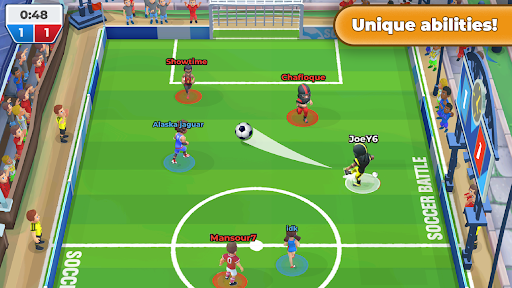
You only control one player, relying on your teammates is crucial! Team up with online friends to build chemistry and dominate opponents!
ONE PLAYER CONTROL: Observe the play as it unfolds and work with your team. Position yourself correctly and trust your teammates!
PRECISION: Use the joystick for precision aiming, passing, and scoring!
SKILL BASED: Unique characters with fixed stats and unique attributes. Frequent balance patches keep all characters competitive!
NON-STOP ACTION: No offsides, no penalties, no out of bounds, and NO GOALIES!
ONLINE TEAM BASED: Designed from the ground up for real-time multiplayer 3v3 team based play!
TOURNAMENTS: Join a club and practice with your online teammates. Compete in daily, weekly, and monthly tournaments to win prizes and climb the leaderboards!
How to Download Soccer Battle - PvP Football APK
- Enter the package name
com.doubletapsoftware.soccer.realtime.sportson the APK Downloader homepage. - Select your device architecture (ARM64 recommended for modern devices).
- Click Download to get the merged APK file.
- Transfer and install the APK on your Android device.
- Keep Updated: Visit APK Downloader regularly to search for and download the latest secure versions of your favorite apps.
Security & Signature Verification
This APK download is 100% safe. We verify that the cryptographic signature of the file matches the official developer credentials. No modifications or adware are injected.