
Download Sources
Device Configuration
Split APKs Installation Guide
Some apps are distributed as Split APKs (multiple .apk files packaged together) to optimize resources. Standard Android installers cannot open them.
Related Applications




What's New
We update the Dayforce app as often as possible to ensure the most reliable and enjoyable experience for our users. This release contains the following updates:
• Bug fixes, performance enhancements, and usability improvements.
About this app
The Dayforce app helps you do the work you’re meant to do by putting you in charge of your work and life - anytime, anywhere.
With the Dayforce app, staying connected and in control is simple. Skip the paperwork and manage tasks efficiently across your devices.
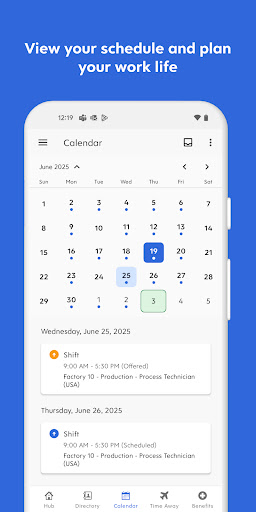
From clocking in and out to planning time off, checking your schedule, swapping shifts, or reviewing benefits, the Dayforce app makes it easy to manage your day-to-day.
You can also track your real-time earnings and access your pay before payday, giving you greater control and flexibility when you need it.¹
Plus, if you’re a people leader, the Dayforce app puts essential manager tools right at your fingertips so you can handle tasks on the go and free up more of your time. Need to approve timesheets or respond to requests? Dayforce makes it simple to stay connected and in control, wherever you are.
Disclaimers:
Features available to you depend on your employer’s setup, and not all features may be available.
Dayforce mobile access is available only to employees of organizations that use Dayforce and have enabled the mobile experience.
¹ Not all employers choose to offer on-demand pay with Dayforce Wallet. Check with your employer to see if this is available to you. Some blackout dates and limitations may apply based on your employer's pay cycle and configurations. Partner banks do not administer and are not responsible for on-demand pay.
How to Download Dayforce APK
- Enter the package name
com.dayforce.mobileon the APK Downloader homepage. - Select your device architecture (ARM64 recommended for modern devices).
- Click Download to get the merged APK file.
- Transfer and install the APK on your Android device.
- Keep Updated: Visit APK Downloader regularly to search for and download the latest secure versions of your favorite apps.
Security & Signature Verification
This APK download is 100% safe. We verify that the cryptographic signature of the file matches the official developer credentials. No modifications or adware are injected.