
Download Sources
Device Configuration
Split APKs Installation Guide
Some apps are distributed as Split APKs (multiple .apk files packaged together) to optimize resources. Standard Android installers cannot open them.
Related Applications



What's New
Welcome to 1.0
Say it rough. Send it right. Starting today.
About this app
Voiskey is an AI voice keyboard for voice typing and smart dictation. It turns natural speech into ready-to-use text for everyday writing.
You don’t need to speak in perfect sentences. Start with the rough version. Pause, restart, or correct yourself as you speak. Voiskey helps turn rough spoken thoughts into clear, polished text for messages, emails, notes, and more.
Use Voiskey to write faster across:
Messages and DMs
Emails and work chats
Notes
AI prompts
Meeting follow-ups
Social posts
Multilingual writing
Why Voiskey feels different:
Think out loud
Speak naturally, even when your idea is not fully formed. Voiskey helps clean up fillers, restarts, grammar slips, and rough phrasing.
Adapts to where you write
Turn what you say into a clearer message, a polished email, or an organized note.
Personalize your vocabulary
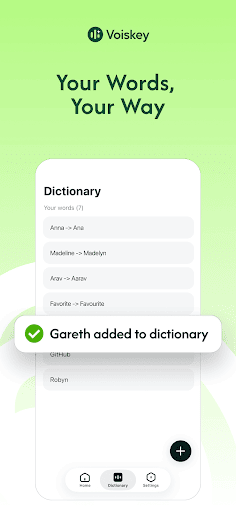
Add names, terms, and preferred spellings so voice typing better matches the way you write.
Works across daily workflows
Use your voice to create quick replies, follow-ups, reminders, class notes, and project updates with less typing.
Supports multilingual writing
Use your voice to write in supported languages across everyday writing scenarios.
Whisper when you need to
Voiskey can also help capture softer speech, including whispers, so you can use voice typing without disturbing people around you.
Faster than typing
Get your thoughts out before the keyboard slows you down.
Voiskey is built for anyone who writes every day and wants to turn natural speech into ready-to-use text.
Speak naturally. Write anywhere.
Privacy Policy:https://www.voiskey.ai/privacy
Terms of Use:https://www.voiskey.ai/terms
How to Download Voiskey: AI Voice Typing APK
- Enter the package name
com.creativeapp.voiceinputon the APK Downloader homepage. - Select your device architecture (ARM64 recommended for modern devices).
- Click Download to get the merged APK file.
- Transfer and install the APK on your Android device.
- Keep Updated: Visit APK Downloader regularly to search for and download the latest secure versions of your favorite apps.
Security & Signature Verification
This APK download is 100% safe. We verify that the cryptographic signature of the file matches the official developer credentials. No modifications or adware are injected.