
Download Sources
Device Configuration
Split APKs Installation Guide
Some apps are distributed as Split APKs (multiple .apk files packaged together) to optimize resources. Standard Android installers cannot open them.
Related Applications



What's New
Thanks for using Citizens Mobile Banking! This latest version includes:
• Additional bug fixes and enhancements to improve overall client experience.
About this app
Get ready to manage your money – anytime, anywhere – from the convenience of your mobile device.
Manage Accounts
- See up-to-date balances and account activity
- Freeze and unfreeze debit cards
Deposit Checks
- Snap photos of your checks for easy deposit
- Get same-business day credit on deposits made by 10 pm ET
Transfer Money
- Make transfers between Citizens accounts and to non-Citizens accounts
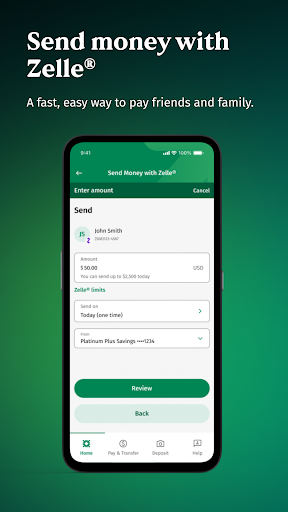
- Send money securely with Zelle®
Pay Bills
- Manage all your bills in one place
- See payment history
- Add and pay any company
Plus, your finances are protected with the Citizens Bank Online Guarantee.®
DISCLOSURES:
To send or receive money with Zelle®, both parties must have an eligible checking or savings account. Transactions between enrolled users typically occur in minutes. Don't use Zelle® to send money to people you don't know.
Zelle® and the Zelle® related marks are wholly owned by Early Warning Services, LLC and are used herein under license.
Savings Tracker is Subject to account eligibility. Only available on the Citizens Bank Mobile Banking application. Text and data rates may apply.
©2026 Citizens Financial Group, Inc. All rights reserved.
Citizens Bank is a brand name of Citizens Bank, N.A. Member FDIC
How to Download Citizens Bank Mobile Banking APK
- Enter the package name
com.citizensbank.androidappon the APK Downloader homepage. - Select your device architecture (ARM64 recommended for modern devices).
- Click Download to get the merged APK file.
- Transfer and install the APK on your Android device.
- Keep Updated: Visit APK Downloader regularly to search for and download the latest secure versions of your favorite apps.
Security & Signature Verification
This APK download is 100% safe. We verify that the cryptographic signature of the file matches the official developer credentials. No modifications or adware are injected.