
Download Sources
Device Configuration
Split APKs Installation Guide
Some apps are distributed as Split APKs (multiple .apk files packaged together) to optimize resources. Standard Android installers cannot open them.
Related Applications




What's New
UI Improvements.
About this app
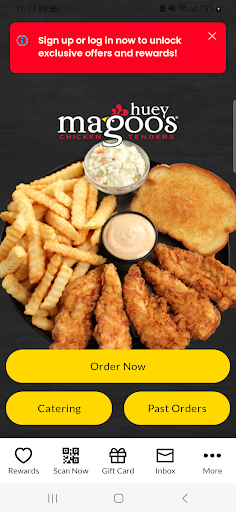
It’s APP-ening: Ordering The Filet Mignon of Chicken™ has never been easier!
Download our superfan-APProved Huey Magoo’s app today to unlock great features such as in-app ordering, exclusive deals and the latest on everything related to your favorite chicken tenders.
App Features Include:
Online Ordering
That’s right, you can now get to enjoying your tendies even faster with our order ahead feature. To skip the line, simply tap on the “Order Now” button on the app’s home screen, select the Huey Magoo’s location nearest to you, pick & customize your go-to items and quickly pay through the app. Before you know it, you will be APP-ily enjoying America’s favorite chicken tenders.
Superfan tip: Extra Huey Magoo’s dips are always a great idea.
Catering
Spill the sweet tea, is it even a party if there’s no chicken tenders? Leave the cooking to the pros and bring a smile to everyone in your group by ordering everyone’s favorite tenders, sides, sweets & drinks for your next gathering.
Push Notifications
Are you even a superfan if you are not subscribed to our push notifications? Stay in the know of all #MagoosNews and our juicy deals by opting-in to our push notifications.
Only the Top 3% is Good Enough for Huey Magoo’s
At Huey Magoo’s we only serve real tenders made from the tenderloin. It’s The Filet Mignon of Chicken™ and the best 3% of the chicken. We’re talking no hormones, no antibiotics ever and no mountains of breading to hide bad chicken. So get app-y and treat yourself to The Filet Mignon of Chicken™ today!
For a full list of locations, please visit our website at HueyMagoos.com or follow us on social media to be in the know of when we are coming to your neighborhood!
How to Download Huey Magoo's APK
- Enter the package name
com.ce.android.brand.hueymagooslabon the APK Downloader homepage. - Select your device architecture (ARM64 recommended for modern devices).
- Click Download to get the merged APK file.
- Transfer and install the APK on your Android device.
- Keep Updated: Visit APK Downloader regularly to search for and download the latest secure versions of your favorite apps.
Security & Signature Verification
This APK download is 100% safe. We verify that the cryptographic signature of the file matches the official developer credentials. No modifications or adware are injected.