
Download Sources
Device Configuration
Split APKs Installation Guide
Some apps are distributed as Split APKs (multiple .apk files packaged together) to optimize resources. Standard Android installers cannot open them.
Related Applications




What's New
• Your message draft is now saved if you leave the chat and come back
• Messages now wait until Noah finishes responding
Plus minor improvements and bug fixes.
About this app
I’m Noah, your AI Therapist, here to help you feel calmer, better, and more supported every day. Whether you’re dealing with stress, anxiety, or simply craving a safe space to talk and chat about your mental health, I’m ready to guide you toward greater mental wellness. My approach combines self-care tips with personalized check-ins, so we can work together to uncover simple ways for you to feel calm and in control.
Why Choose Noah as Your AI Therapist?
1. 24/7 Therapy-Inspired Guidance
* Speak to me anytime—morning, noon, or night—when you feel the need to chat about stress, worries, or general life concerns.
* I provide a warm, empathetic space modeled after therapy principles—yet always available on your schedule.
2. Personalized Mental Health Support
* From anxiety-soothing ideas to daily self-care prompts, I tailor my suggestions to your mood and goals.
* Together, we’ll identify gentle strategies that help you de-stress and feel better.
3. Talk & Chat Options
* Whether you prefer quick text messages or longer, reflective conversations, I’ll adapt to your comfort level.
* I listen deeply and respond in a friendly, human-like tone—no judgment, no pressure.
4. Feel Calm & More in Control
* My main focus is helping you relieve stress, ease anxiety, and cultivate a sense of emotional balance.
* Enjoy the reassurance of knowing you have an AI Therapist in your corner, ready to offer insight and support.
5. Track Your Progress & Celebrate Wins
* I’ll check in on your emotional well-being, reminding you to celebrate small milestones and reflect on what’s working.
* Watching how you grow over time builds motivation and boosts mental wellness.
A Safe, Private Haven
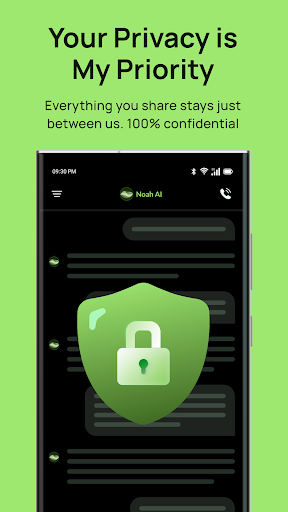
I’m designed with your privacy in mind. Your conversations remain confidential, allowing you to open up freely. While I strive to provide therapy-like support and mental health insights, I’m not a licensed therapist or medical professional. If you need urgent or specialized help, please reach out to a qualified practitioner or contact emergency services immediately.
Ready to Take a Step Toward Feeling Better?
Download Noah: Your AI Therapist and let’s embark on a journey of self-discovery, self-care, and improved mental wellness. I’m here to talk, chat, and guide you through the ups and downs—so you can feel calm, supported, and empowered in your everyday life. Let’s get started!
How to Download Noah - Your AI Therapist APK
- Enter the package name
com.capitalx.blissfullyon the APK Downloader homepage. - Select your device architecture (ARM64 recommended for modern devices).
- Click Download to get the merged APK file.
- Transfer and install the APK on your Android device.
- Keep Updated: Visit APK Downloader regularly to search for and download the latest secure versions of your favorite apps.
Security & Signature Verification
This APK download is 100% safe. We verify that the cryptographic signature of the file matches the official developer credentials. No modifications or adware are injected.