
Download Sources
Device Configuration
Split APKs Installation Guide
Some apps are distributed as Split APKs (multiple .apk files packaged together) to optimize resources. Standard Android installers cannot open them.
Related Applications




What's New
Welcome to the all-new AT&T app. Discover the features you trust—now enhanced with updates inspired by your feedback. Explore new ways to make AT&T work even better for you.
About this app
One app, every connection. The all-new AT&T app gives you unprecedented access, control, and insight with a sleek, reimagined interface.
Shop our best deals, pay your bill, manage your account and connections, and get help when you need it. A powerful AI assistant is always available to answer questions, resolve issues, and guide you to the right plans, devices, and upgrades.
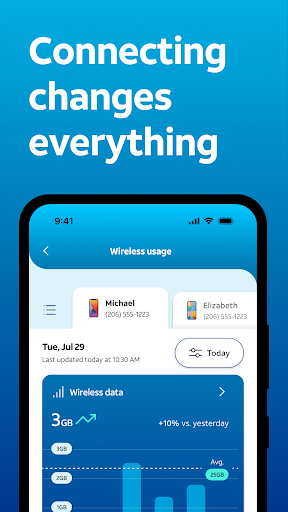
With clear visibility into your network, you can track data usage, locate a device, refresh your connection, manage downtime.
Manage your account
• Easily view and pay your AT&T bill.
• Manage your AT&T Wireless and Internet accounts all in one place.
• Get user-level access so everyone on your account sees what matters to them.
Get personalized offers and our best deals
• See personalized offers on the latest devices tailored to your needs. Upgrade seamlessly to the newest iPhone or Android.
• Shop and compare our top plans, including unlimited wireless and fiber internet.
• Enhance your account with features like early upgrades, international connectivity, device protection, and enhanced performance.
• Find an AT&T store near you.
Switch to AT&T
• Experience the power of AT&T’s fast, reliable, and secure 5G network.
• Try AT&T Wireless free for 30 days. Keep your current service and number while you test drive our network from your compatible iPhone. Terms apply.
Manage devices and usage
• Easily manage all your devices, from smartphones and smartwatches to home internet equipment like Wi-Fi extenders.
• Self-install eligible internet services with step-by-step guidance.
• Assign devices to profiles, manage content and internet access, and track locations for peace of mind.
• Track data usage across both wireless and internet services.
Stay secure and connected
• Block robocalls and spam with AT&T ActiveArmor®.
• Stay connected during outages with internet backup (for eligible customers).
• Monitor network-level security features from a single, easy-to-use dashboard.
• Run network health checks and speed tests anytime.
Get smarter help, powered by AI
• Get help from Andi, AT&T’s AI assistant, for support, troubleshooting, and account questions.
• Stay informed with timely updates, alerts, and account notifications.
How to Download AT&T APK
- Enter the package name
com.att.myWirelesson the APK Downloader homepage. - Select your device architecture (ARM64 recommended for modern devices).
- Click Download to get the merged APK file.
- Transfer and install the APK on your Android device.
- Keep Updated: Visit APK Downloader regularly to search for and download the latest secure versions of your favorite apps.
Security & Signature Verification
This APK download is 100% safe. We verify that the cryptographic signature of the file matches the official developer credentials. No modifications or adware are injected.