
Download Sources
Device Configuration
Split APKs Installation Guide
Some apps are distributed as Split APKs (multiple .apk files packaged together) to optimize resources. Standard Android installers cannot open them.
Related Applications




About this app
Introducing the Ultimate Document Companion!
Unlock a world of seamless document management with our cutting-edge Document Reader & PDF Viewer. This app goes beyond the ordinary, offering unparalleled convenience in opening and viewing various file formats, including PDFs, DOCX, XLS, PPT, TXT, and more. Whether your files are stored internally, received via email, saved in the cloud, sourced from the web, or located in external storage, our app effortlessly handles them all.
📚 Offline PDF Viewer for Android
Embrace the freedom of a free PDF reader that doubles as an all-in-one office app. Say goodbye to internet dependencies with features like PDF reading, Word and Excel viewing, and PowerPoint presentations—all at your fingertips. Dive into the world of free PDF book reading and Docx file exploration with ease.
🌐 All Document Reader & Editor: Supported All Formats
Experience versatility like never before with support for various document formats:
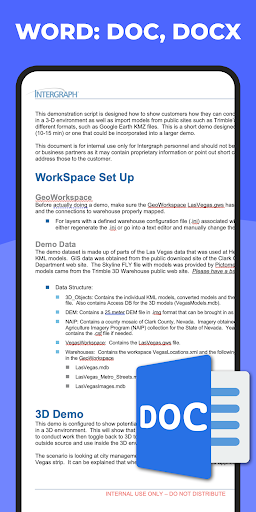
✔️ Word Office Document: DOC, DOCS, DOCX
✔️ PDF files: PDF Reader and PDF Viewer
✔️ Excel Document: XLSX, XLS, CSV
✔️ PowerPoint Slide: PPT, PPTX, PPS, PPSX
🚀 Top Features of PDF Reader and Free PDF Viewer
Unleash the power of efficient document handling with features that elevate your reading experience:
✔️ Remember last page
Your convenience matters: effortlessly jump back to your last-read page.
✔️ PDF VIEWER feature:
Swiftly open and view PDF documents.
Intuitive PDF file list.
Search, scroll, zoom in and out seamlessly.
Bookmark pages for quick reference.
Direct page number navigation.
Smooth page-by-page scrolling.
✔️ Docx reader - Docx Editor
Quickly read and edit your Docx files.
Create new documents on the fly.
Search, note, and edit your documents with ease.
Fast and smooth Docx file scrolling.
Effortlessly find any desired Docx file with a simple search option.
✔️ Excel reader, xlsx viewer
Create, edit, and view spreadsheets effortlessly.
Smart Excel tools for enhanced functionality.
High-quality viewing of xls, xlsx, and txt files.
✔️ PowerPoint reader
Craft compelling slide shows with ease.
High-resolution support for PPT files.
Effortlessly search and manage document files.
✔️ Document Scanner
Scan documents, receipts, photos, and more anytime, anywhere.
Extract text from images using OCR for easy editing and sharing.
🔧 PDF Toolbox Functions:
Unlock a treasure trove of functionalities:
Page-by-page and continuous scrolling modes.
Horizontal and vertical view options.
Dark Mode and Light Mode PDF Reader.
Zoom in and out with ease.
Remember the current page for seamless navigation.
🔄 Convert, Combine, and Customize:
Effortlessly transform your documents:
Convert images and texts to professional PDF files.
Convert Excel files for smoother reading.
Combine multiple files into one PDF for consolidated management.
Export PDF to images for easy sharing.
Reorder PDF pages at your convenience.
Set a password for privacy protection or remove it for quick access.
🌟 Your Efficient Office and Productivity Tool
Our all-format file reader is a game-changer in the realm of office and productivity tools. Share the brilliance of our all document manager app and elevate your collaborative work today!
🙏 Thank you for choosing All Document Reader!
For any assistance or inquiries, reach out to us at appplus.studio.global@gmail.com. Experience the future of document management—download now!
How to Download All Document Reader: PDF, Word APK
- Enter the package name
com.applus.office.ebook.pdf.readeron the APK Downloader homepage. - Select your device architecture (ARM64 recommended for modern devices).
- Click Download to get the merged APK file.
- Transfer and install the APK on your Android device.
- Keep Updated: Visit APK Downloader regularly to search for and download the latest secure versions of your favorite apps.
Security & Signature Verification
This APK download is 100% safe. We verify that the cryptographic signature of the file matches the official developer credentials. No modifications or adware are injected.