
Download Sources
Device Configuration
Split APKs Installation Guide
Some apps are distributed as Split APKs (multiple .apk files packaged together) to optimize resources. Standard Android installers cannot open them.
Related Applications




What's New
General stability fixes and improvements
About this app
Hey, managers. Think of it as your traditional wall-mounted punch clock—minus the expensive hardware!
Open and manage time clock kiosks to track employee time punches, from the device you pick.
And forget tedious manual entries; clocked hours and breaks are sent to your timesheets automatically.
Here's how we'll change your time tracking game:
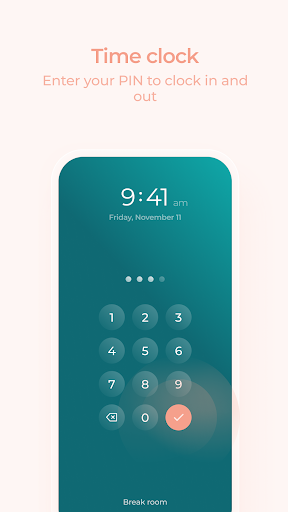
• Your employees clock in and out from the terminal you create on any tablet or phone.
• Photo capture feature; great to see who actually clocked in.
• Fast, fool-proof PIN-based clocking.
• Convenient in-app employee schedule.
• Create, edit, and delete your kiosks on the spot.
• Supports as many locations, job sites, and positions as you need to manage.
• After capturing clocked hours, your timesheets in Agendrix are ready to review and export to payroll.
Got questions? Learn more at https://www.agendrix.com/employee-punch-clock-system.
Experiencing technical difficulties? Email us at support@agendrix.com or contact our support team via the live chat.
How to Download Agendrix Time Clock APK
- Enter the package name
com.agendrix.kioskon the APK Downloader homepage. - Select your device architecture (ARM64 recommended for modern devices).
- Click Download to get the merged APK file.
- Transfer and install the APK on your Android device.
- Keep Updated: Visit APK Downloader regularly to search for and download the latest secure versions of your favorite apps.
Security & Signature Verification
This APK download is 100% safe. We verify that the cryptographic signature of the file matches the official developer credentials. No modifications or adware are injected.