
Download Sources
Device Configuration
Split APKs Installation Guide
Some apps are distributed as Split APKs (multiple .apk files packaged together) to optimize resources. Standard Android installers cannot open them.
Related Applications


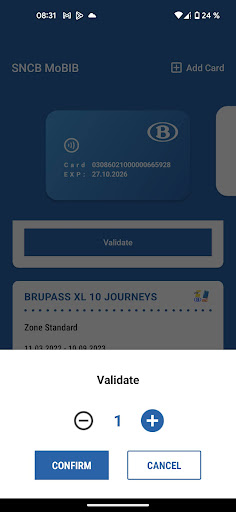


About this app
Cette application vous permet de lire des titres de transports MoBIB pour tous les opérateurs de transports publics belges SNCB, STIB, De Lijn et TEC.
La validation de titres Brupass (XL) 1 et 10 tickets est également possible (uniquement pour voyager à la SNCB).
Vous pouvez scanner votre carte MoBIB and enregistrer votre carte sur votre smartphone Android (équipé de NFC) en quelques secondes. Vous pouvez ainsi activer une alerte pour renouveler votre abonnement à temps.
How to Download SNCB MoBIB APK
- Enter the package name
be.sncb.mobibon the APK Downloader homepage. - Select your device architecture (ARM64 recommended for modern devices).
- Click Download to get the merged APK file.
- Transfer and install the APK on your Android device.
- Keep Updated: Visit APK Downloader regularly to search for and download the latest secure versions of your favorite apps.
Security & Signature Verification
This APK download is 100% safe. We verify that the cryptographic signature of the file matches the official developer credentials. No modifications or adware are injected.